


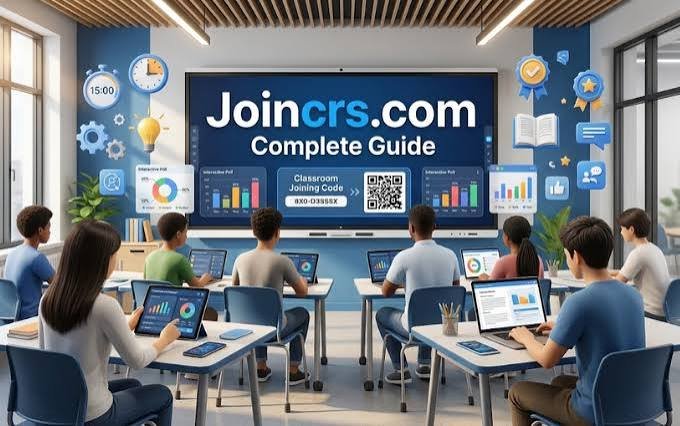
JoinCRS.com is not a traditional website or social platform.
It acts as a student entry point for Classroomscreen activities.
If your teacher gives you a code, you can join quickly without creating an account.
At a Glance
| Detail | Information |
|---|---|
| Website | JoinCRS.com |
| Main Purpose | Join Classroomscreen sessions |
| Platform | Classroomscreen |
| Primary Users | Students and classroom participants |
| Access Method | Session code or QR code |
| Account Needed for Students | Usually no |
| Main Feature | Remote participation in classroom activities |
| Related Tool | Classroomscreen Poll |
| Company | Classroomscreen B.V. |
| Headquarters | Bunnik, Netherlands |
The information above comes from Classroomscreen’s official documentation and terms.
What Is JoinCRS.com?
JoinCRS.com is a student-facing part of Classroomscreen.
It lets students connect to teacher-led activities remotely.
The process usually starts with a teacher-created session.
Students then enter the displayed code on the website.
This distinction is important for new users.
JoinCRS.com is not a separate learning management system.
It does not replace Classroomscreen’s teacher dashboard.
Instead, it provides an access point for participants.
According to Classroomscreen’s official terms, its applications include both domains.
The company identifies itself as Classroomscreen B.V.
It is registered under Dutch law.
Its listed location is Bunnik, Netherlands.
How JoinCRS.com Works
The process is intentionally simple for students.
A teacher first creates an activity in Classroomscreen.
The teacher can then enable remote participation.
A code appears for participating students.
Students can use the following process:
- Open JoinCRS.com.
- Enter the classroom code.
- Select the option to continue.
- Participate in the teacher’s activity.
The official joining page currently asks users to enter a code.
It also provides a separate teacher sign-in option.
QR Codes Make Joining Faster
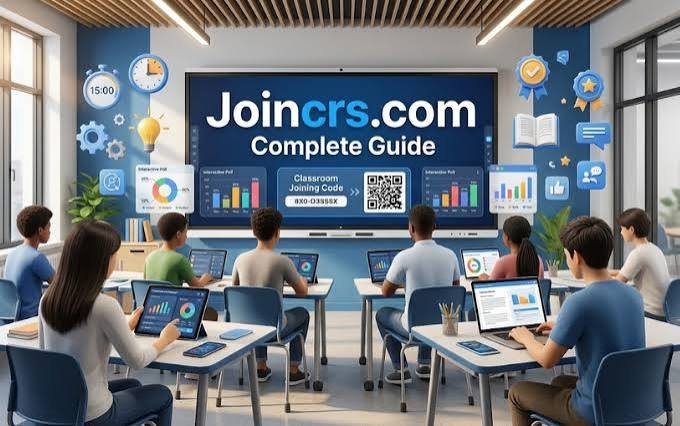
Teachers can also display a QR code.
Students scan it using their phones.
This can remove the need for manual code entry.
It is especially useful during busy classroom activities.
JoinCRS.com and the Classroomscreen Poll
One important use involves Classroomscreen’s Poll widget.
Teachers can use polls for quick classroom feedback.
Students can respond from their own devices.
The results can appear during the activity.
The Poll widget supports three question formats:
- Multiple choice
- Smileys
- True or False

Multiple-choice questions can include up to five options.
Questions can contain up to 160 characters.
Teachers can also display results using different charts.
This creates an interesting educational use case.
JoinCRS.com is not valuable because of its domain alone.
Its value comes from the classroom interaction behind it.
That makes it different from ordinary code-entry websites.
Do Students Need an Account?
Students generally do not need their own account.
Classroomscreen’s Poll documentation specifically supports remote voting.
The teacher controls the activity from Classroomscreen.
Students simply join using the provided access method.
Classroomscreen also says its basic tool can work without accounts.
Additional functionality becomes available through account options.
This design reduces friction during lessons.
Teachers do not need every student to register.
Students can participate using ordinary web browsers.
That makes the process practical for shared classroom devices.
What Can Students Actually Do?
JoinCRS.com does not function like a complete classroom platform.
Its role depends on the activity launched by the teacher.
The most clearly documented use is remote polling.
Classroomscreen itself offers many classroom-focused tools.
These include timers, instructions, polls, and other widgets.
The platform describes itself as an online whiteboard for teachers.
That creates a useful division:
Teacher side: Classroomscreen
Student access: JoinCRS.com
Activity: Teacher-selected classroom interaction
Understanding this structure prevents common confusion.
Is JoinCRS.com Safe?
Safety questions are reasonable when students use unfamiliar websites.
The strongest source is Classroomscreen’s own privacy documentation.
Its policy explicitly covers joincrs.com.
Classroomscreen states that it does not sell personal information.
It also says its websites do not display advertising.
The company explains how collected information is handled.
Students should still follow normal online safety practices.
Only use the address provided by your teacher.
Do not share private information unnecessarily.
Avoid entering passwords on unexpected pages.
The Overlooked Part: Anonymous Poll Responses
One useful detail is easy to miss.
Classroomscreen’s Poll documentation says responses are anonymous.
The company says teachers cannot currently identify individual answers.
This matters for classroom feedback.
Students may feel more comfortable sharing honest opinions.
Teachers can still see overall response patterns.
However, individual answers cannot currently be linked to students.
This feature makes JoinCRS particularly useful for quick check-ins.
Teachers can gauge understanding without creating unnecessary pressure.
It also supports simple opinion-based classroom discussions.
Who Created Classroomscreen?
JoinCRS is connected to the broader Classroomscreen platform.
Classroomscreen began with a teacher-focused problem.
Founder Laurens Koppers was a science teacher in the Netherlands.
He wanted clearer digital classroom instructions.
The first Classroomscreen version launched in 2017.
Koppers later worked with Sebastiaan de Vries.
The company has continued developing the platform since then.
This background gives JoinCRS useful context.
The platform grew from an actual classroom need.
It was not originally designed as a generic technology project.
How Popular Is Classroomscreen?
Classroomscreen reports substantial global usage.
Its official website says it reaches over two million classrooms.
It also reports users across more than 180 countries.
The company currently reports:
- 450,000+ daily users
- 180+ countries
- 2,500+ organizations
- 2 million+ classrooms
These figures are company-reported.
They should therefore be treated as platform claims.
They are not independent market-share measurements.
JoinCRS.com vs. Classroomscreen
The two names can easily cause confusion.
They serve different roles within the same ecosystem.
| JoinCRS.com | Classroomscreen |
|---|---|
| Student access point | Teacher platform |
| Code-based entry | Lesson creation |
| Supports remote participation | Provides classroom widgets |
| Designed for participants | Designed mainly for teachers |
| Simple joining experience | Broader teaching functionality |
This difference is perhaps the most useful fact to remember.
If you are a student, JoinCRS is the entry point.
If you are a teacher, Classroomscreen provides the controls.
Final Verdict: What Is JoinCRS.com Really For?
JoinCRS.com has a focused purpose.
It helps students enter Classroomscreen classroom activities.
Its strongest documented use is remote polling.
The process requires little technical knowledge.
Its simplicity is actually its main advantage.
Students do not need another complicated learning platform.
Teachers can create interactive activities from Classroomscreen.
Participants can then respond through a simple joining page.
For anyone searching “join crs.com,” the answer is straightforward.
It is connected to Classroomscreen, not a standalone social website.
If your teacher provided a code, enter it there.
If no code was provided, ask your teacher first.
Important fact-check note: Personal biographies, marriage details, family information, and net worth do not apply here. JoinCRS.com is a website service, not a public individual. I have therefore avoided inventing personal details or unsupported financial claims.
Read more :Robert Attenborough Age: The Academic Life Behind the Famous Name