



If you searched for join crs.com, you may be trying to enter an online classroom activity. The name can seem confusing at first. However, JoinCRS is associated with the Classroomscreen platform rather than a person or celebrity.
The service provides a simple way for students to connect to teacher-created activities. Depending on the activity, students can use a joining code or QR code supplied by their teacher. Current public information also indicates that JoinCRS forms part of Classroomscreen’s web-based application environment.
What Is JoinCRS.com?
JoinCRS.com is a web address connected with Classroomscreen, an educational classroom platform.
Its main purpose is straightforward. A teacher can create or enable an interactive activity, then students can access it through the provided joining method.
The process removes the need for students to search for a particular classroom manually. Instead, they can enter the information supplied by their teacher.
This makes JoinCRS useful during classroom exercises, polls, quizzes, and other interactive learning activities.
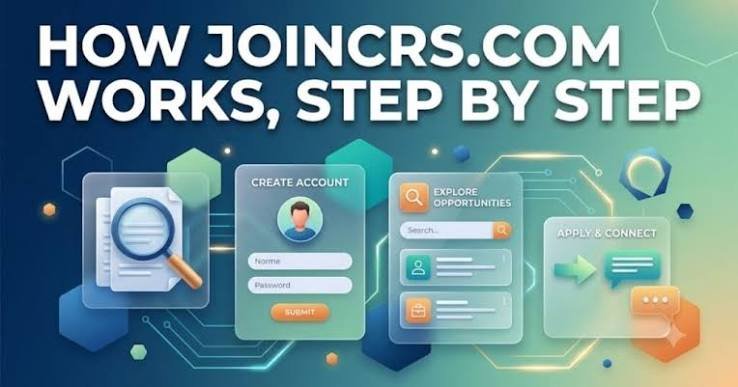
How Join CRS Works for Students
The joining process usually starts with the teacher.
A teacher prepares an activity through Classroomscreen. Students then receive the required joining information.
That information may appear as a short code. In some situations, students can scan a QR code instead.
The student then opens the appropriate JoinCRS page and enters the requested information.
After successful access, the student can participate in the activity made available by the teacher.
The exact screen can vary depending on the activity and the current Classroomscreen interface.
Join CRS Code: What Do You Need?
A JoinCRS code is generally provided by the teacher running the classroom activity.
Students should not need to invent their own code. They should use the code displayed or shared during the lesson.
If the code does not work, check it carefully first. A single incorrect character can prevent access.
It is also worth confirming that the activity is still active. Teachers may close or change activities after a session ends.
If problems continue, asking the teacher for a fresh code is usually the simplest solution.
JoinCRS and Classroomscreen
JoinCRS should be understood in the context of Classroomscreen.
Public information describes JoinCRS.com as part of the Classroomscreen web application environment.
Classroomscreen focuses on classroom interaction and digital teaching tools. JoinCRS provides a student-facing route for participating in certain activities.
This separation can make the platform easier to understand.
The teacher manages the activity. The student uses the supplied joining information to participate.
That creates a simple connection between classroom instruction and student interaction.
Common Problems When Using JoinCRS
Students can sometimes encounter problems while joining.
Wrong code: Recheck every character provided by the teacher.
Expired activity: The teacher may have ended the session.
Incorrect page: Make sure you are using the intended JoinCRS address.
Connection problem: Refresh the page and check your internet connection.
Teacher-side issue: Ask the teacher to confirm that the activity remains open.
Avoid entering random codes from websites or social media posts. A classroom code should normally come directly from the teacher or educational session.
Is JoinCRS.com Safe to Use?
Students should always verify that they are using the legitimate Classroomscreen-related service.
Do not provide unnecessary personal information simply because a website asks for it.
If a link comes from an unfamiliar source, confirm it with your teacher before proceeding.
The official Classroomscreen ecosystem is the best place to verify current access instructions. Public information about JoinCRS also identifies it as part of the Classroomscreen service.
Parents and teachers can also help younger students understand which links and codes they should use.
Why Teachers Use JoinCRS
Interactive classroom tools can make lessons more participatory.
Instead of simply watching a presentation, students can respond to questions or polls. This gives teachers another way to collect responses during a lesson.
JoinCRS can therefore work as a bridge between the teacher’s Classroomscreen activity and the student’s participation.
The approach is especially useful when an entire class needs to access the same activity quickly.
The process remains simple. The teacher shares the joining details, and students use those details to connect.
Join CRS.com: Quick Takeaways
- Website purpose: Connect students with Classroomscreen activities.
- Joining method: Students may use a teacher-provided code or QR code.
- Main connection: JoinCRS is associated with Classroomscreen.
- Who provides access: The teacher or activity organizer.
- Best practice: Use joining information from a trusted classroom source.
Final Thoughts
The search term join crs.com can be confusing without context. It does not appear to represent a biography subject. Instead, current public information connects JoinCRS.com with Classroomscreen and its classroom activities.
For students, the basic process is simple: get the joining information from the teacher, open the correct service, and follow the on-screen instructions.
If a code fails, checking with the teacher is usually the fastest solution.
Read more :TechNewsOutlets.com USA: What It Offers and How to Use It